
Javascript Variables May Contain Necessary Data When Crawling Javascript-Rendered Websites
When crawling websites rendered with Javascript like in previous articles, we have to use a front-end compiler to interpret these Javascript code segments so they render HTML before proceeding with analysis. However, many websites already contain data when loading HTML. For example, Youtube when loading HTML has code segments on the header like this:
1
var ytInitialData = {"responseContext":{"serviceTrackingParams":[{"service":"GFEEDBACK","params":[{"key":"route","value":"channel."},{"key":"is_owner","value":"false"},{"key":"is_alc_surface","value":"false"},{"key":"browse_id","value":"UCHP_xaIhyLPZv90otD2SehA"},{"key":"browse_id_prefix","value":""},{"key":"logged_in","value":"1"},{"key":"e","value":"9405957,23804281,23966208,23986031,24004644,24077241,24108448,24166867,24181174,24241378,24290971,24425061,24439361,24453989,24495712,24542367,24548629,24566687,24699899,39325798,39325815,39325854,39326587,39326596,39326613,39326617,39326681,39326965,39327050,39327093,39327367,39327561,39327571,39327591,39327598,39327635,51009781,51010235,51017346,51020570,51025415,51030101,51037344,51037349,51041512,51050361,51053689,51057842,51057855,51063643,51064835,51072748,51091058,51095478,51098297,51098299,51101169,51111738,51112978,51115184,51124104,51125020,51133103,51134507,51141472,51144926,51145218,51151423,51152050,51153490,51157411,51157430,51157432,51157841,51157895,51158514,51160545,51162170,51165467,51169118,51176511,51177818,51178310,51178329,51178344,51178353,51178982,51183909,51184990,51186528,51190652,51194136,51195231,51204329,51209050,5..
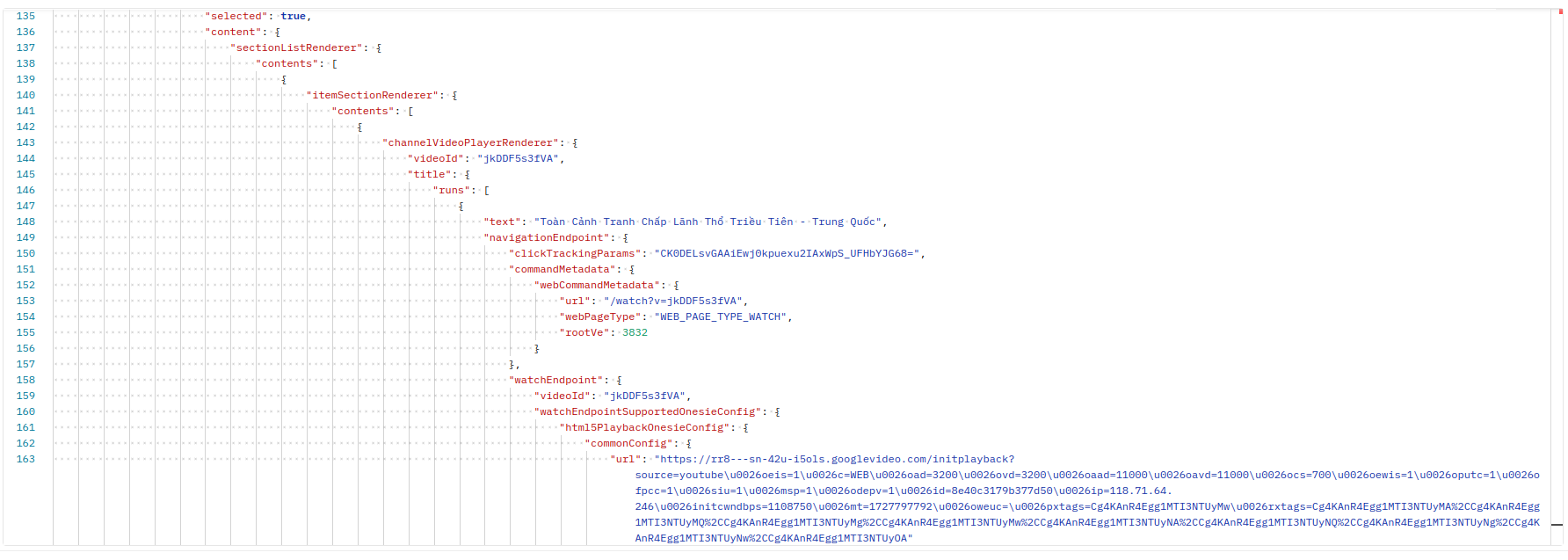
This variable contains a lot of data including necessary data that doesn’t need to be extracted from anywhere else. The example below is a small part I captured from the data of the ytInitialData variable, because it’s very large it cannot be captured completely. The information we can get is extensive: name, description, endpoint, view count, publication date, etc. of the video.
Use Web Cache Sites
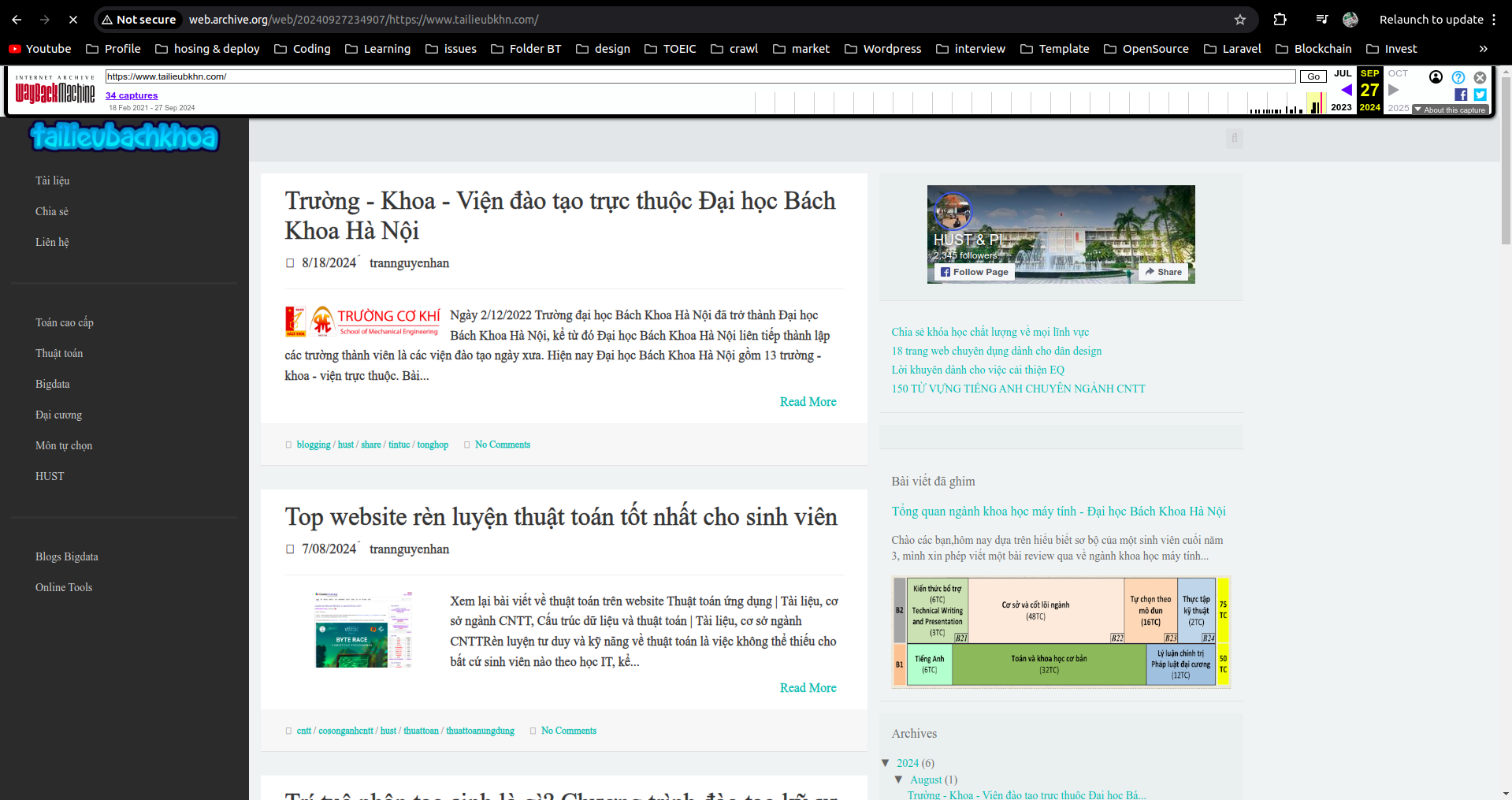
Web cache sites like Google Cache or web archive have already crawled these websites once and saved the website information. We can crawl information through these sites.
Scrapy Getting Forbidden by robots.txt
From scrapy version 1.1 (2016-05-11), the downloader will download the robots.txt file before starting crawling. To change this, modify in settings.py:
1
ROBOTSTXT_OBEY = False
=> Related to copyright issues. Change to = True to continue crawling on some websites.
Types of Facebook Pages
- https://mbasic.facebook.com: static page -> no js, only html
- https://touch.facebook.com, https://m.facebook.com: pages for old mobile (using old user agents or web user agents), if using mobile user agent the website returns quite new format, extremely difficult to analyze
- https://www.facebook.com: main interface, difficult to analyze but not impossible
Depending on needs and data collection purposes, we can use appropriate pages. For example, if using Jsoup Java cannot crawl Javascript-generated websites, then crawling directly from mbasic page would be very suitable, etc.
Small Facebook Crawling Tricks
Anything fast, continuous abnormal operations will eventually get checkpointed, so need to combine many factors to minimize:
- Switch many cookies + combine with IP switching
- Use cookies instead of tokens
- Delay program to slow down after each operation
Bypass Cloudflare
Use the library https://pypi.org/project/undetected-chromedriver/2.1.1/, I’ve tried it and it’s very effective.
User Agent
The importance of User Agent when crawling especially when crawling large websites like Facebook, Youtube, etc. These platforms all build separate versions for different User Agents from Mobile or PC. Using appropriate User Agent will make websites easier to analyze (use User Agent of Google Bot, Bing Bot, old Mobile).
Selenium Headless Mode
Selenium’s headless mode may not be effective when crawling with Selenium.
Selenium helps simulate human operations almost completely, helping bypass many website blockers. However, when crawling with Selenium there’s a problem that we have to open the browser, which causes deployment applications on servers without UI to error. At this point we think of Selenium’s --headless will help the application not open browser when running, however this method will not completely solve the problem when some websites still detect when you set --headless mode and will immediately be blocked.
The methods I propose are:
- 1 is to use Remote Webdriver
1
2
options = webdriver.ChromeOptions()
driver = webdriver.Remote(command_executor=server, options=options)
- 2 is to use
xvfbvirtual display
1
DISPLAY=:1 xvfb-run --auto-servernum --server-num=1 python sele.py
This article only covers small tricks when crawling so I briefly mention how to do it. When it comes to specific articles about each part I will talk more clearly about usage and installation.
Remove HTML Tags
If analyzing HTML pages and extracting data cannot completely remove HTML tags from the page, use the following function to remove them.
1
2
3
4
5
6
def remove_html_tag(html_content):
    if html_content is None:
        return None

    text = re.sub(r'<[^>]+>', '', html_content)
    return text