
Javascript Variables Can Contain Necessary Data When Crawling Javascript-Rendered Websites
When crawling Javascript-rendered websites like in the previous article, we have to use a front-end compiler to translate this Javascript code so they render HTML before analyzing. However, many websites when loading HTML already contain data. For example, Youtube when loading HTML has code on the header like below:
1
var ytInitialData = {"responseContext":{"serviceTrackingParams":[{"service":"GFEEDBACK","params":[{"key":"route","value":"channel."},{"key":"is_owner","value":"false"},{"key":"is_alc_surface","value":"false"},{"key":"browse_id","value":"UCHP_xaIhyLPZv90otD2SehA"},{"key":"browse_id_prefix","value":""},{"key":"logged_in","value":"1"},{"key":"e","value":"9405957,23804281,23966208,23986031,24004644,24077241,24108448,24166867,24181174,24241378,24290971,24425061,24439361,24453989,24495712,24542367,24548629,24566687,24699899,39325798,39325815,39325854,39326587,39326596,39326613,39326617,39326681,39326965,39327050,39327093,39327367,39327561,39327571,39327591,39327598,39327635,51009781,51010235,51017346,51020570,51025415,51030101,51037344,51037349,51041512,51050361,51053689,51057842,51057855,51063643,51064835,51072748,51091058,51095478,51098297,51098299,51101169,51111738,51112978,51115184,51124104,51125020,51133103,51134507,51141472,51144926,51145218,51151423,51152050,51153490,51157411,51157430,51157432,51157841,51157895,51158514,51160545,51162170,51165467,51169118,51176511,51177818,51178310,51178329,51178344,51178353,51178982,51183909,51184990,51186528,51190652,51194136,51195231,51204329,51209050,5..
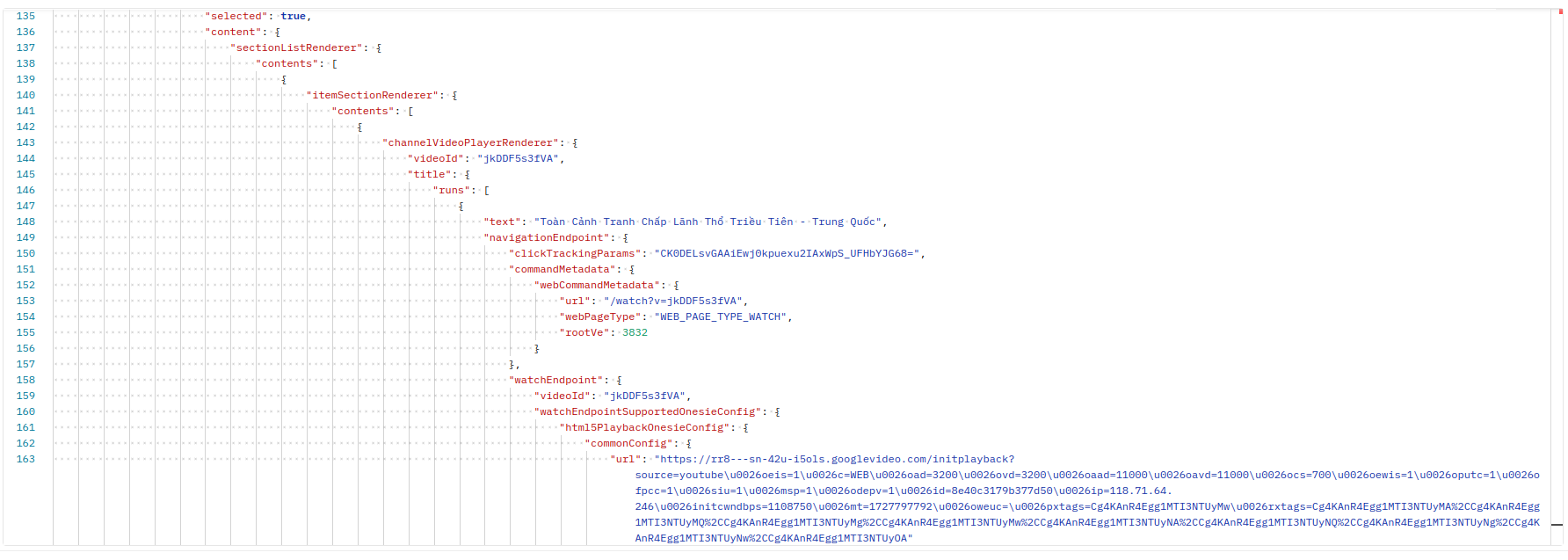
This variable contains a lot of data, and in it there’s a lot of necessary data that doesn’t need to be extracted from anywhere else. For example, below is a small part I captured from the data of the ytInitialData variable. Because it’s very large, it can’t be captured completely. The information we get is a lot: name, description, endpoint, view count, publication date,… of the video.
Using Cache Websites
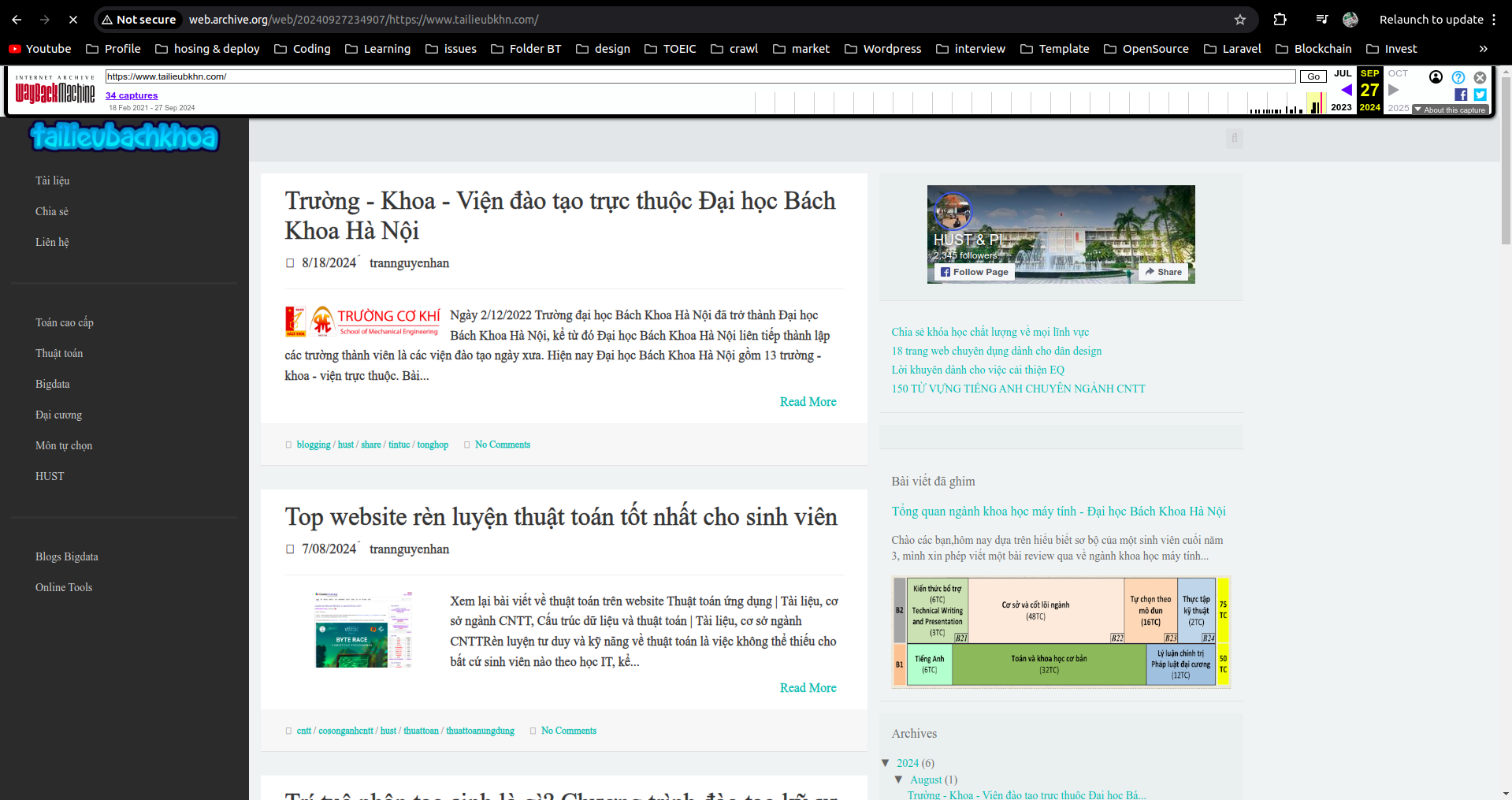
Cache websites like Google Cache or web archive have already visited these websites to crawl once and saved the information of those websites. We can crawl information through these sites.
Scrapy Getting Forbidden by robots.txt
From Scrapy version 1.1 (2016-05-11), the downloader will download the robots.txt file before starting crawling. To change this, change in settings.py:
1
ROBOTSTXT_OBEY = False
=> Related to copyright issues. Change to = True to continue crawling on some websites.
Types of Facebook Pages
- https://mbasic.facebook.com: static page -> no js, only html
- https://touch.facebook.com, https://m.facebook.com: old mobile versions (use old user agents or web user agents). If using mobile user agents, the website returns a quite new version, very difficult to analyze
- https://www.facebook.com: main interface, difficult to analyze but not impossible
Depending on needs and purposes of extracting data, we can use the appropriate page. For example, if using Jsoup Java cannot crawl Javascript-generated websites, then crawling directly from the mbasic page will be very suitable,…
Small Trick to Crawl Facebook
Anything fast, continuously operating abnormally will eventually be checkpointed, so we need to combine many factors to minimize:
- Switch many cookies + combine switching IP
- Use cookies instead of tokens
- Delay the program slower after each operation
Bypass Cloudflare
Use the library https://pypi.org/project/undetected-chromedriver/2.1.1/. I’ve tried it and it’s very effective.
User Agent
The importance of User Agent when crawling, especially when crawling large websites like Facebook, Youtube,… These platforms all build separate versions for different User Agents from Mobile or PC. Using appropriate User Agents will make websites easier to analyze (use User Agents of Google Bot, Bing Bot, old Mobile).
Headless Mode of Selenium
Headless mode of Selenium may not be effective when crawling with Selenium.
Selenium helps simulate almost completely human operations, helping to bypass many website blockers. However, when crawling with Selenium, there’s a problem that we have to open the browser, which causes errors when deploying the application to a server without UI. At this point, we think of Selenium’s --headless which will help the application run without opening the browser. However, this method won’t completely solve the problem because some websites still detect when you use --headless mode and will immediately be blocked.
The method I propose is:
- 1 is to use Remote Webdriver
1
2
options = webdriver.ChromeOptions()
driver = webdriver.Remote(command_executor=server, options=options)
- 2 is to use
xvfbvirtual screen
1
DISPLAY=:1 xvfb-run --auto-servernum --server-num=1 python sele.py
This article is just small tricks when crawling, so I’ll talk briefly about how to do it. When it comes to specific articles about each part, I’ll explain more clearly about usage and installation.
Removing HTML Tags
If analyzing HTML pages and extracting data cannot completely remove HTML tags from the page, use the following function to remove them.
1
2
3
4
5
6
def remove_html_tag(html_content):
    if html_content is None:
        return None

    text = re.sub(r'<[^>]+>', '', html_content)
    return text