
Every time we write a spider, we have to write many css selector and xpath segments to analyze information, and many times we don’t know if they’re correct or not. Each time like that, we have to run the project and print out the information we crawled to see if it’s correct or not. Doing this is very time-consuming, so Scrapy provides a very useful tool to check in advance whether the css selector or xpath we write is correct or not.
Starting Shell
1
scrapy shell <url>
Where url is the URL of the website we want to check.
For example, I want to check a news page of kenh14:
1
scrapy shell https://kenh14.vn/thi-vao-lop-10-tai-ha-noi-chinh-thuc-bat-dau-20230610083632015.chn
Using Shell
When entering the shell, there’s a response variable already declared, and we use it like the response variables in the Spider we usually write.
I check the URL of the website:
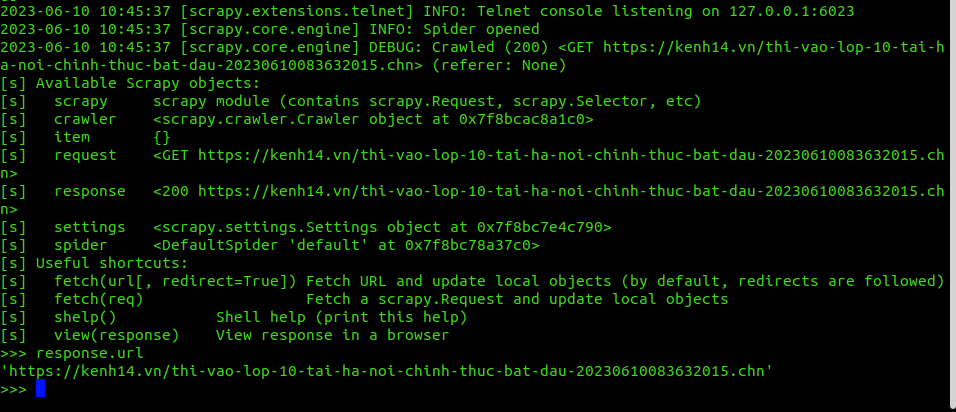
Similarly, when extracting the title of that website:
1
2
3
>>> response.css("h1::text").extract_first()
'\r\n                                    Thi vào lớp 10 tại Hà Nội chính thức bắt đầu'
>>>
Right in this shell, if you want to switch to another URL without exiting the shell, use the fetch command:
1
2
3
4
5
6
7
>>> fetch("http://www.google.com", True)
2023-06-10 10:55:17 [filelock] DEBUG: Attempting to acquire lock 140238303771136 on /home/trannguyenhan/.cache/python-tldextract/3.8.10.final__usr__7d8fdf__tldextract-3.4.0/publicsuffix.org-tlds/de84b5ca2167d4c83e38fb162f2e8738.tldextract.json.lock
2023-06-10 10:55:17 [filelock] DEBUG: Lock 140238303771136 acquired on /home/trannguyenhan/.cache/python-tldextract/3.8.10.final__usr__7d8fdf__tldextract-3.4.0/publicsuffix.org-tlds/de84b5ca2167d4c83e38fb162f2e8738.tldextract.json.lock
2023-06-10 10:55:17 [filelock] DEBUG: Attempting to release lock 140238303771136 on /home/trannguyenhan/.cache/python-tldextract/3.8.10.final__usr__7d8fdf__tldextract-3.4.0/publicsuffix.org-tlds/de84b5ca2167d4c83e38fb162f2e8738.tldextract.json.lock
2023-06-10 10:55:17 [filelock] DEBUG: Lock 140238303771136 released on /home/trannguyenhan/.cache/python-tldextract/3.8.10.final__usr__7d8fdf__tldextract-3.4.0/publicsuffix.org-tlds/de84b5ca2167d4c83e38fb162f2e8738.tldextract.json.lock
2023-06-10 10:55:17 [scrapy.core.engine] DEBUG: Crawled (200) <GET http://www.google.com> (referer: None)
>>>
Scrapy shell can also be used with local files by replacing the URL position with the path to the corresponding file:
1
scrapy shell ./path/to/file.html
Scrapy Shell is an effective debugging tool. There are more features that Scrapy Shell provides, but in this article or this series, I’ll only talk about things that are really useful that I often use. Knowledge is vast, so we should filter out things that are often used, frequently used to avoid overload. For the rest, knowing how to search or where to review is enough.
See more about Scrapy shell at: https://docs.scrapy.org/en/latest/topics/shell.html.